Site evaluations
Know how every site is doing, and which ones need a visit.
Capture site evaluations on a phone, see scores and trends, and keep open findings in front of you until they are closed. Required visits are tracked per site, so nothing falls behind.
- Evaluations on a phone
- Scores and trends
- Required visits per site
What Patrolly does
Evaluations on a phone
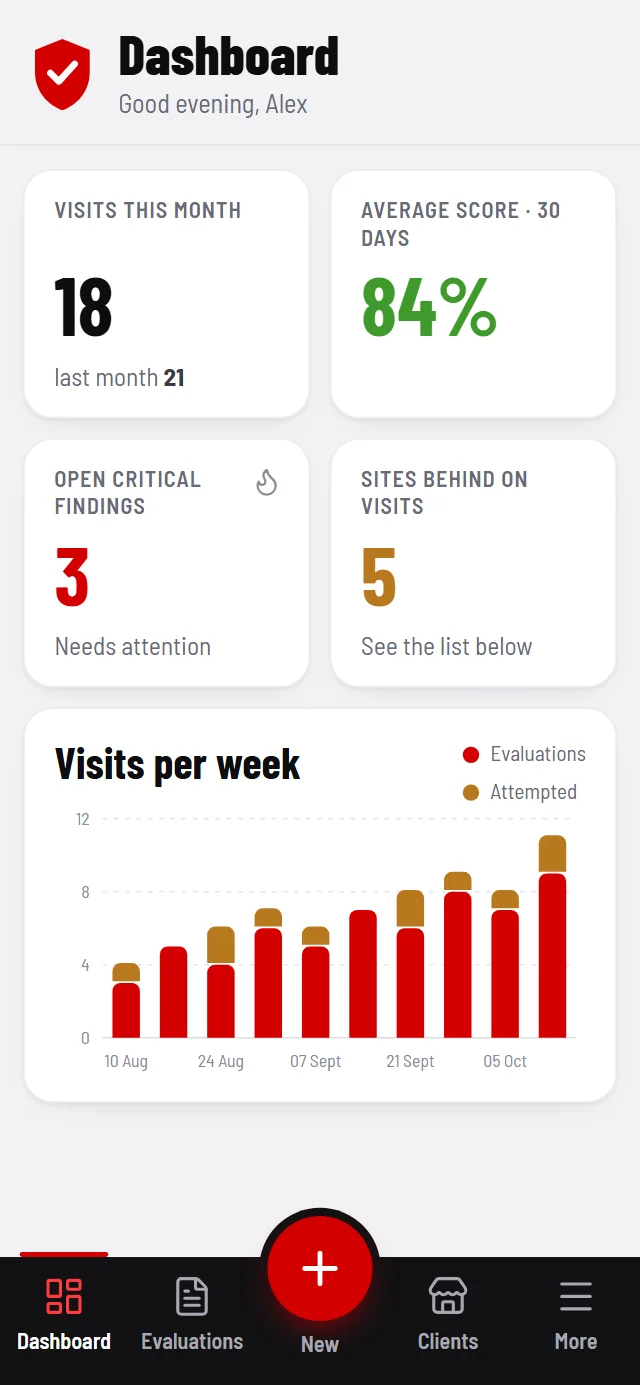
Start an evaluation in one tap from anywhere in the app, and capture it on site.
Scores and trends
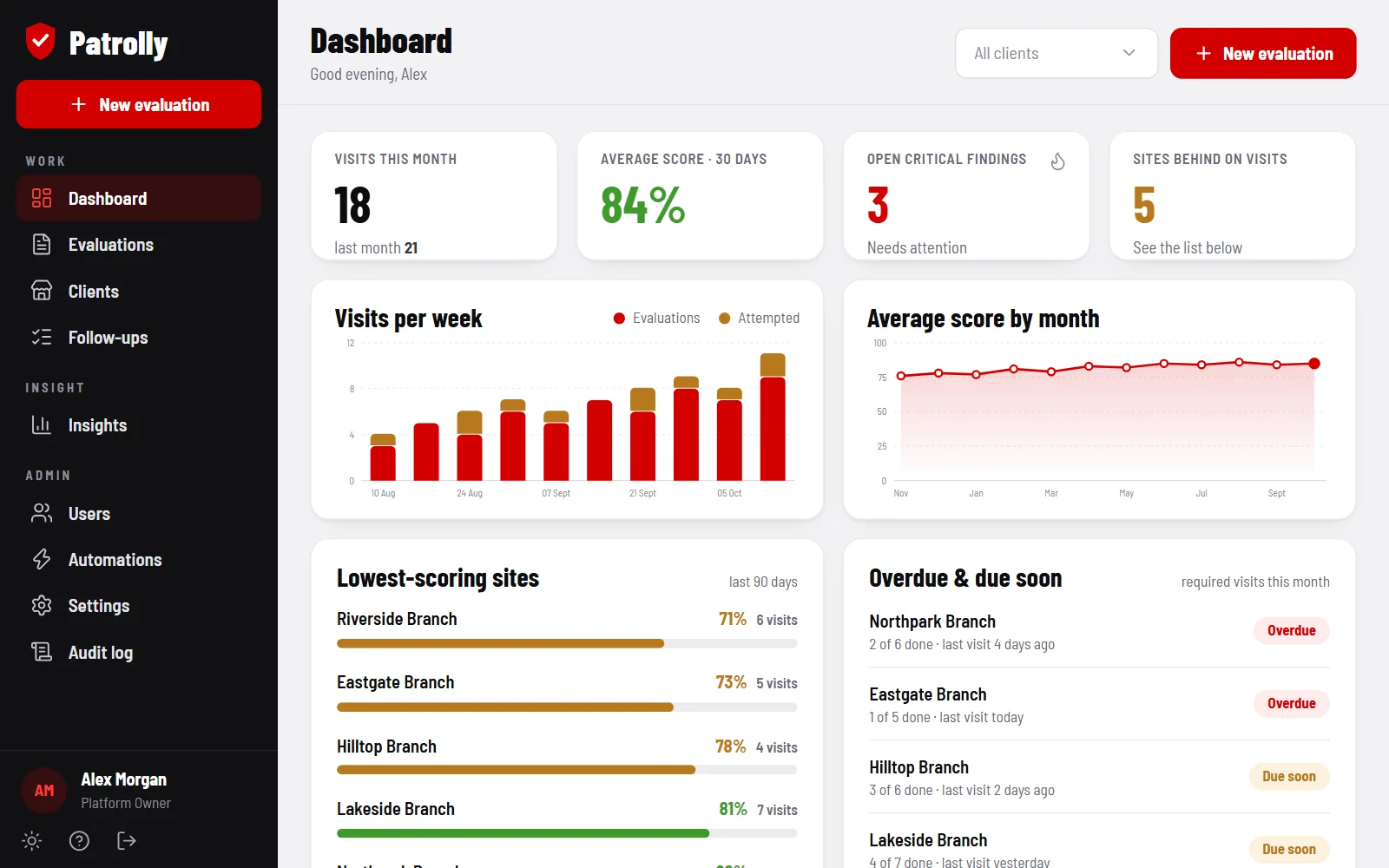
Every evaluation produces a score. Track the average over 30 days and month by month.
Critical findings
Open critical findings are counted on the dashboard and followed up until they are closed.
Required visits
Set the visits each site needs every month, and see who is behind.
Lowest scores first
A ranked list of the lowest-scoring sites over the last 90 days shows where to go next.
Clients and brands
Filter by client or brand, and keep every evaluation, follow-up and change in an audit log.
Who it’s for
Teams that visit and score many sites, such as security, merchandising and compliance.
Screens show sample data. Patrolly can be adapted to your business: your fields, forms, branding and workflow.
See Patrolly with your own data.
A short walkthrough using your workflow. No obligation.